Product Data Module
Okay, we've covered the first major component in CertHub. But how on earth do I enter my Intended Use now??
In Product Module we forget about traditional technical documentation and turn it into a structured, data-driven environment. Instead of managing scattered Word documents and Excel files, CertHub provides a database where product data is maintained.
First things first, to enter my intended Use, I need a Product. Let's have a look at how to store Products and Families.
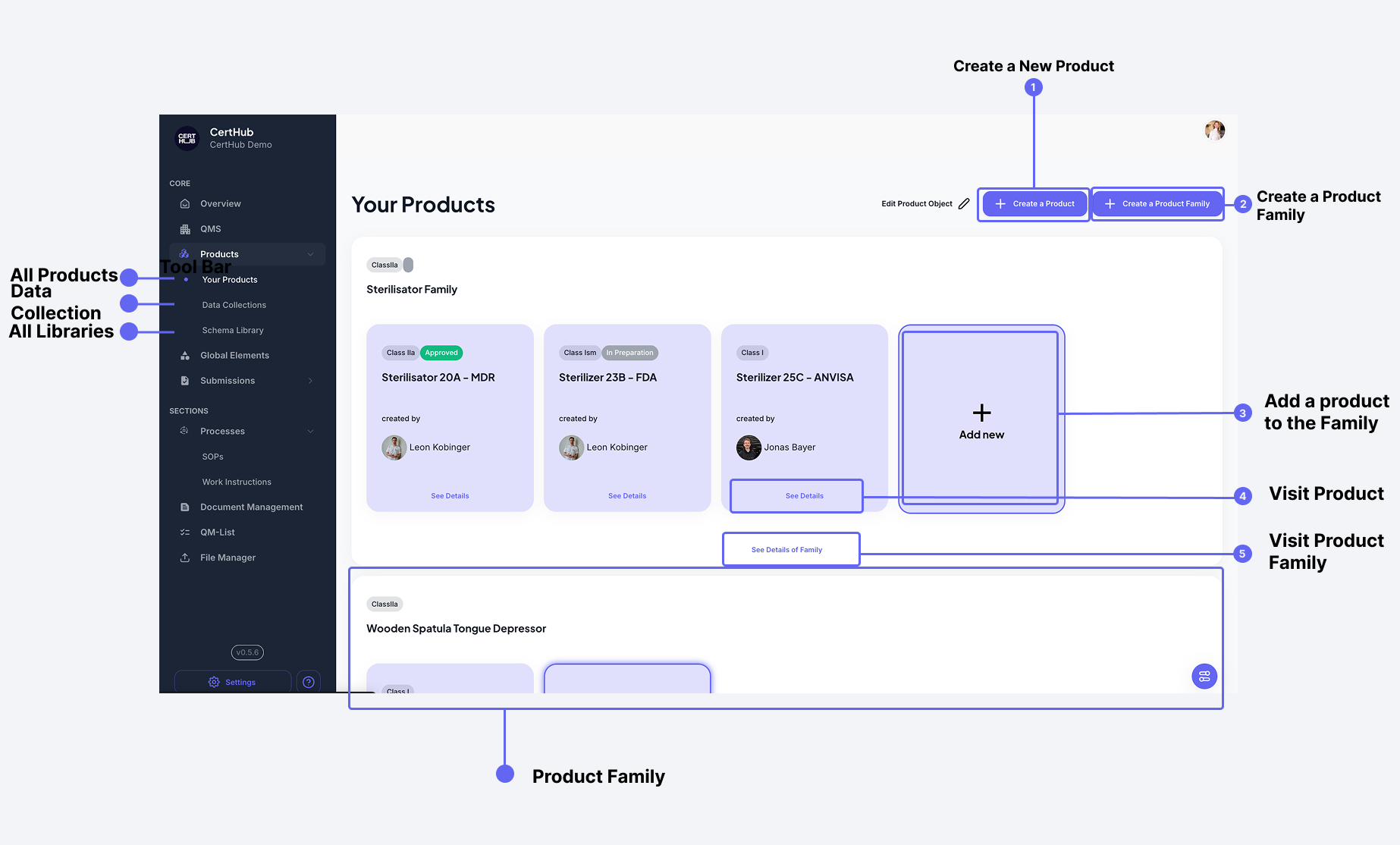 The Product Module interface provides a structured way to manage all your product-related data and documentation.
Add a Product
There are 2 ways to add a product:
- Use our Guided Setup
- Don't use any guidance (and enter the wild west)
So clearly, you want to use the guided setup here. But what is it?
If your question is still whether you should use CertHub's structure or build your own, read Should we use CertHub's structure or build our own? first.
Guided Setup
To use the Guided Setup, you first want to click on the "Create Product" Button and then you need to make your first decision!
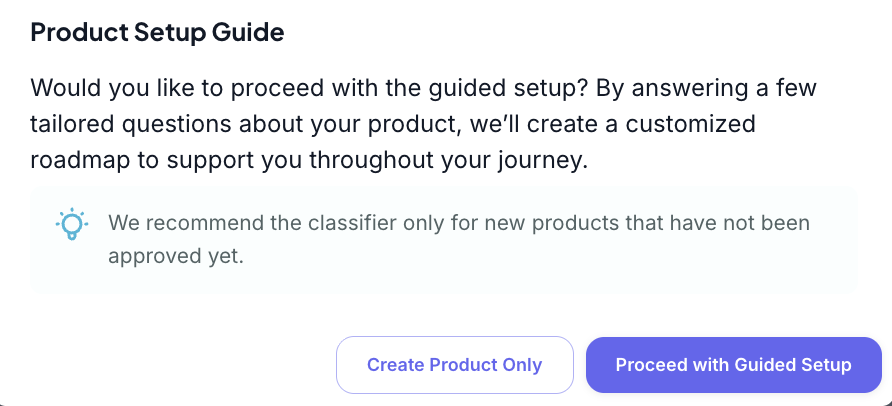
Like we already said, let's dive deeper into the guided Setup here.
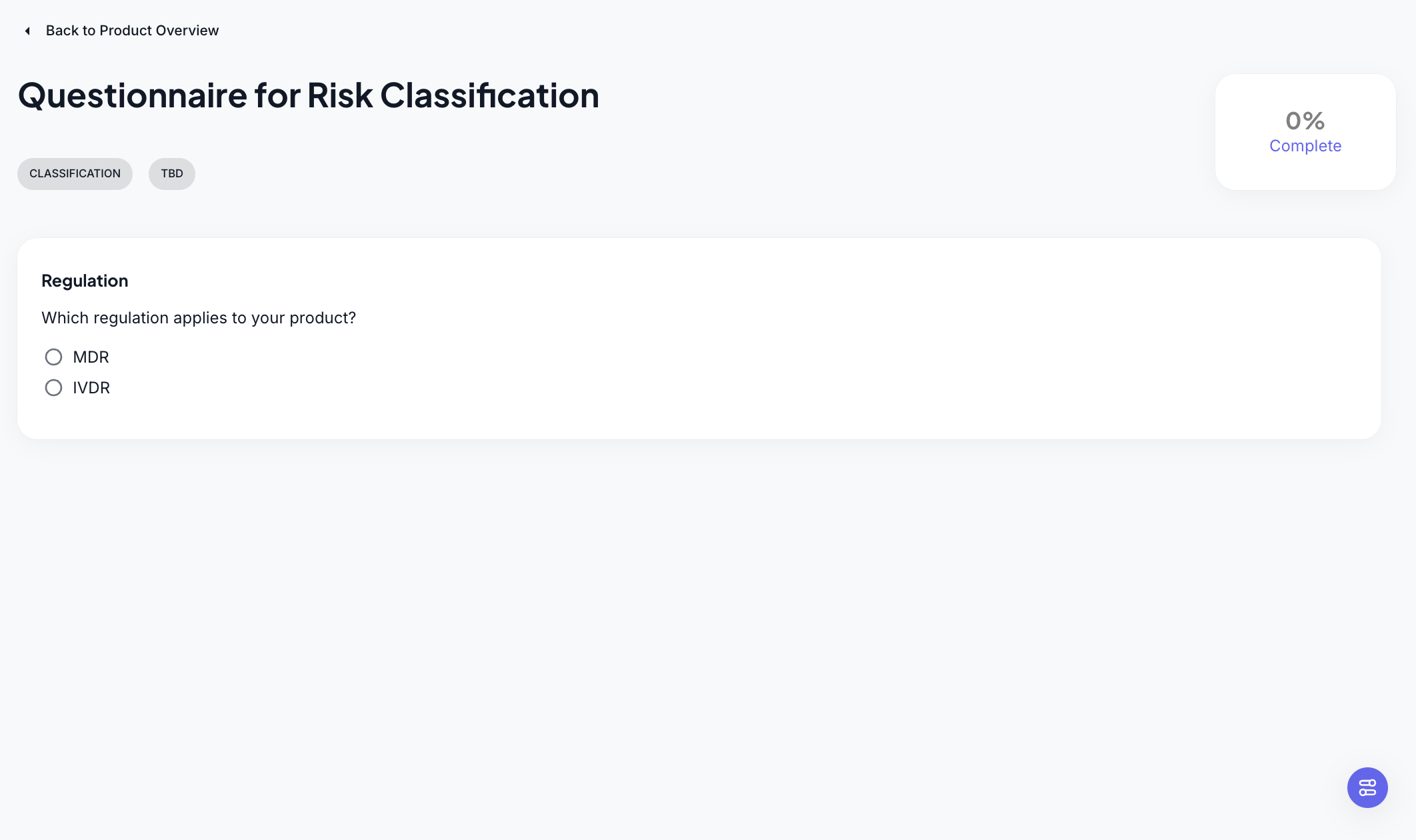
When you choose to use the guided setup, you will be asked a bunch of (really relevant) questions. They target either the MDR or IVDR. (Hopefully you already know which one you are, otherwise .. uh .. give us a call.)
Once you have completed answering all your questions, the system will set up a BIG amount of structures for you. These structures include
- Database Model
- Product Property Selection
- Risk Class
- SOPs/WIs
- Templates
- A lot of links between everything above
The best thing? The structure that gets loaded is regulatory aware, meaning, if our algorithm decided your device is Class III (bummer) and active, the loaded structure will surely look different than the one for a Class I product.
Okay, but back to the Intended Use, we still don't know how to enter it! For this we have to look into the next chapter, into the Database Model behind it all.